macOS 26 · iOS 26 · Native SwiftUI

Your notes are files. They should stay that way.

Inkstone is a notes app built on plain Markdown in a folder you choose. It reads the vault you already have, writes nothing you cannot open in any other editor, and keeps its own state in a hidden folder you are free to delete.

Free · Apple silicon · English · 简体中文 · 繁體中文

Recorded on macOS 26. Unedited, apart from the dissolves between sections.

Three decisions everything else follows from

They are load-bearing, and they are why the app behaves as it does.

The files are the truth

There is no database, no import step and no proprietary format. A vault Obsidian created opens here; a vault this app created opens there. If Inkstone disappeared tomorrow you would still have a folder of Markdown.

A broken link is permanent

With no database to repair one, renaming a note rewrites every wikilink that pointed at it, across the whole vault, in the same action. This is the direct consequence of the decision above, not a feature bolted on.

The engine knows nothing about screens

Parsing, indexing, search and the graph live in a package that imports no UI framework at all. That is why they are covered by real tests instead of a simulator, and why the same engine could back a command line tool later.

What is in it

Everything below is implemented and running, not a roadmap.

Editing

Live preview, not a split screen

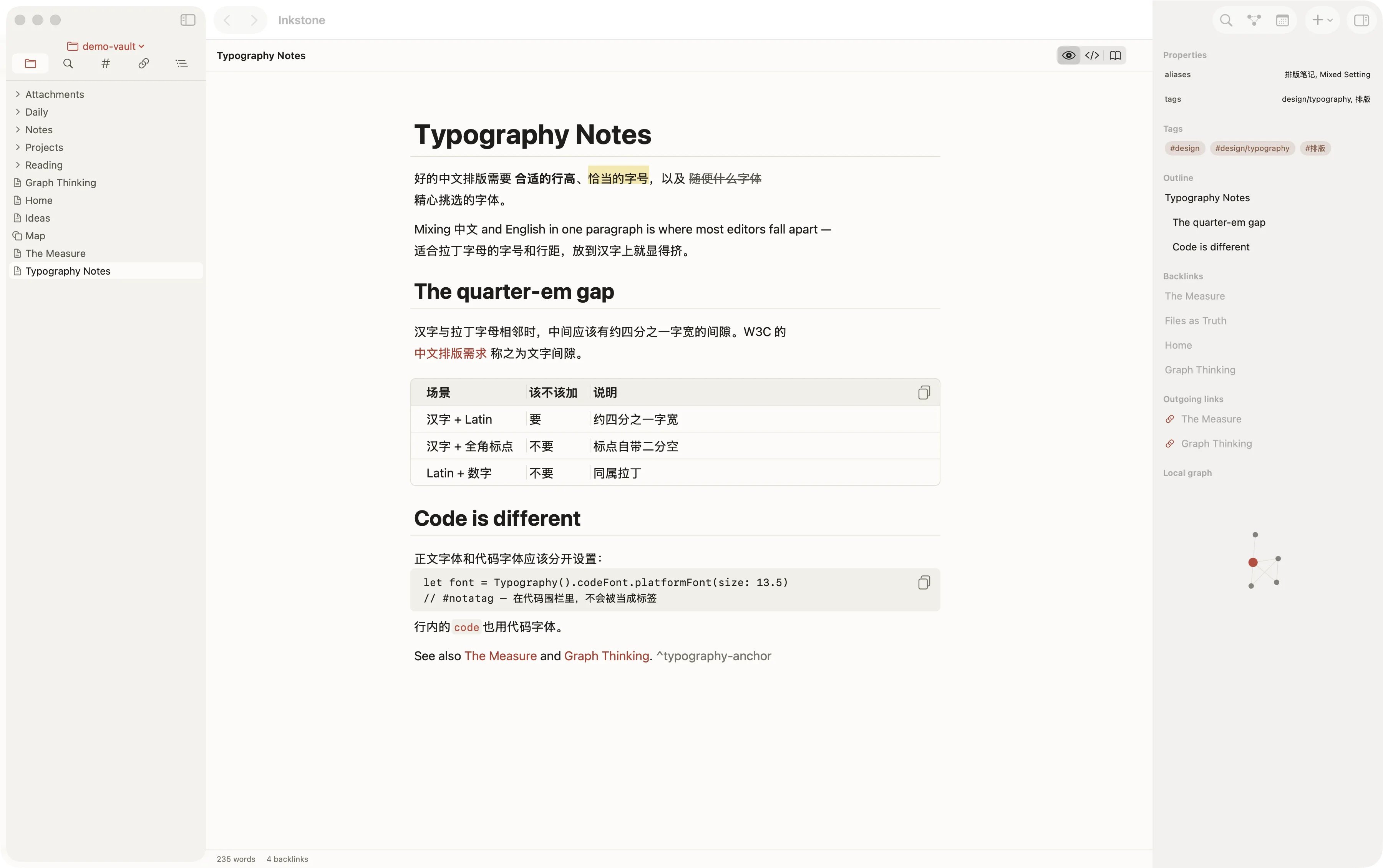
Headings, bold, quotes, callouts, checkboxes, tables and code all render in place as you type, with the syntax revealed on the line the cursor is on. Reading mode is a separate, read-only view when you want the page without the scaffolding. Body font, code font and their sizes are set independently.

The Inkstone editor showing live preview: a heading, a mixed Chinese-English paragraph, a checklist, a quote, a callout, an aligned table and a code block, all rendered in place.

Linking

Wikilinks, aliases, blocks, backlinks

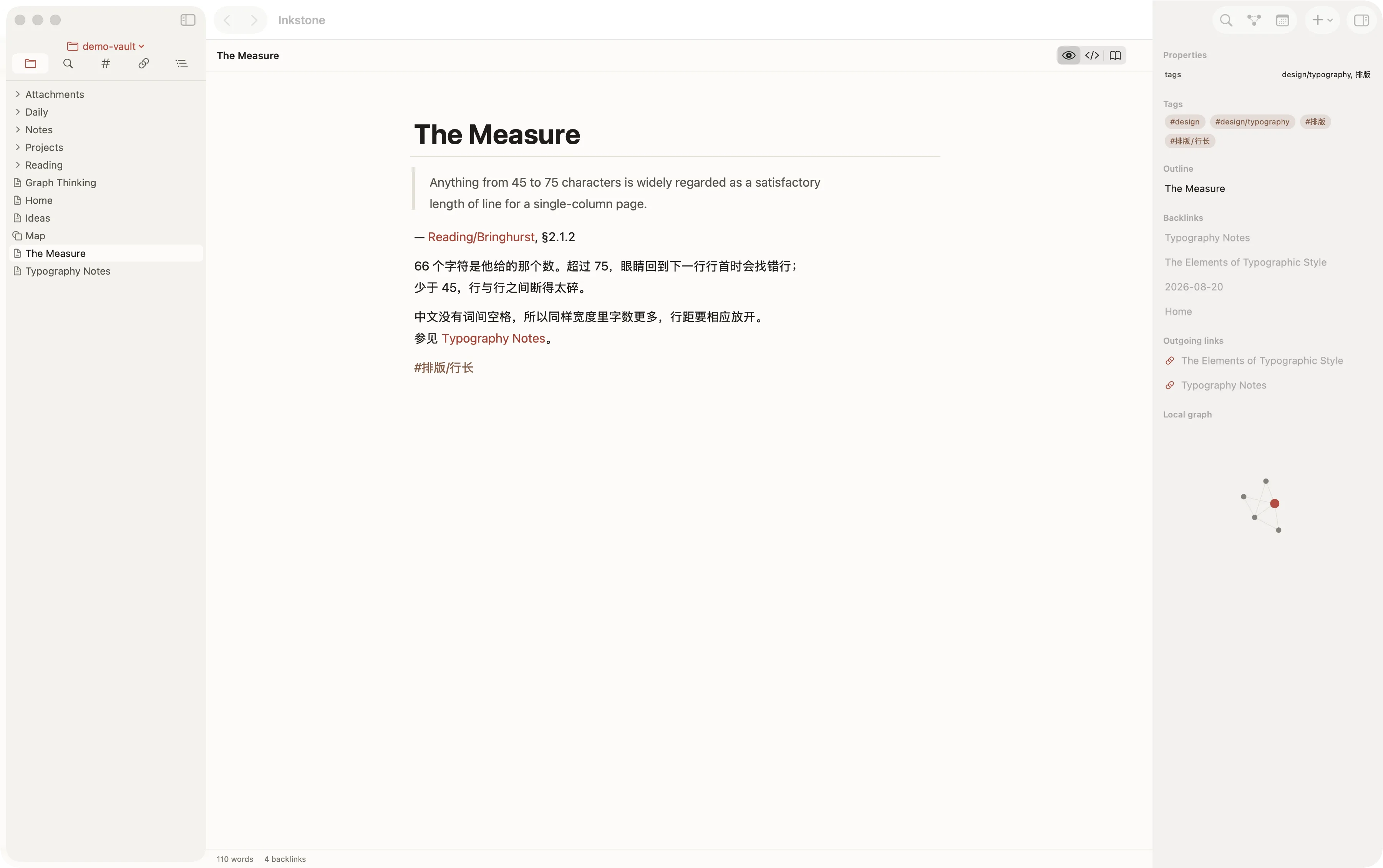
[[Note]], [[Note#Heading]], [[Note^block]], ![[Embeds]] and aliases declared in frontmatter, all resolved into one index. Every note shows what points at it, what it points at, and which of its links have no target yet.

A note with its backlinks and outgoing links listed in the right sidebar, alongside a small local graph of its neighbours.

Seeing the shape

A graph that settles in the same place twice

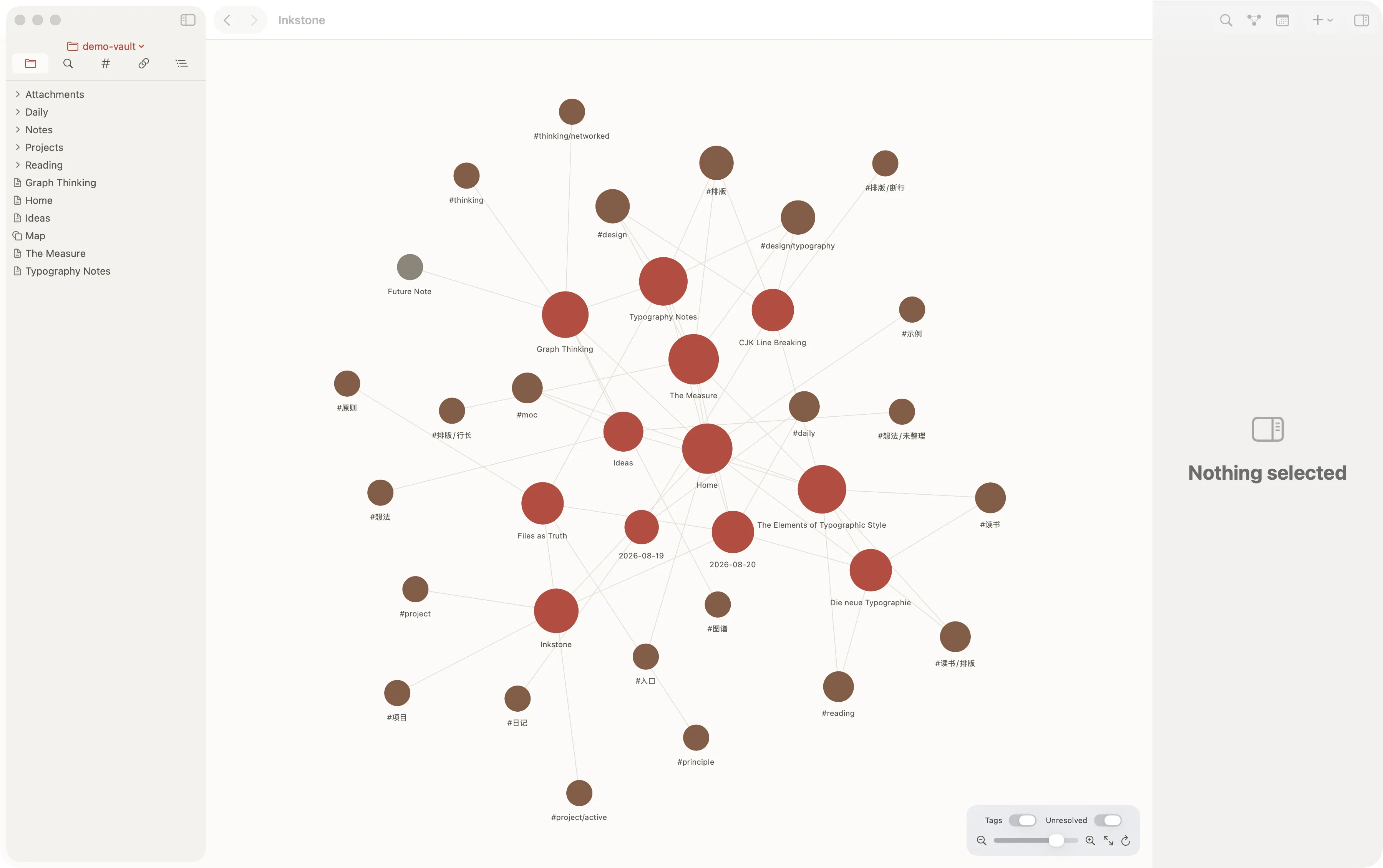
The force simulation is deterministic, so the same vault draws the same picture every time and you can learn its layout rather than re-reading it on every open. Local graph shows one note and its neighbours.

The graph view: notes as nodes joined by their wikilinks, clustered by how densely they reference one another.

Spatial notes

Canvas, in the open JSON Canvas format

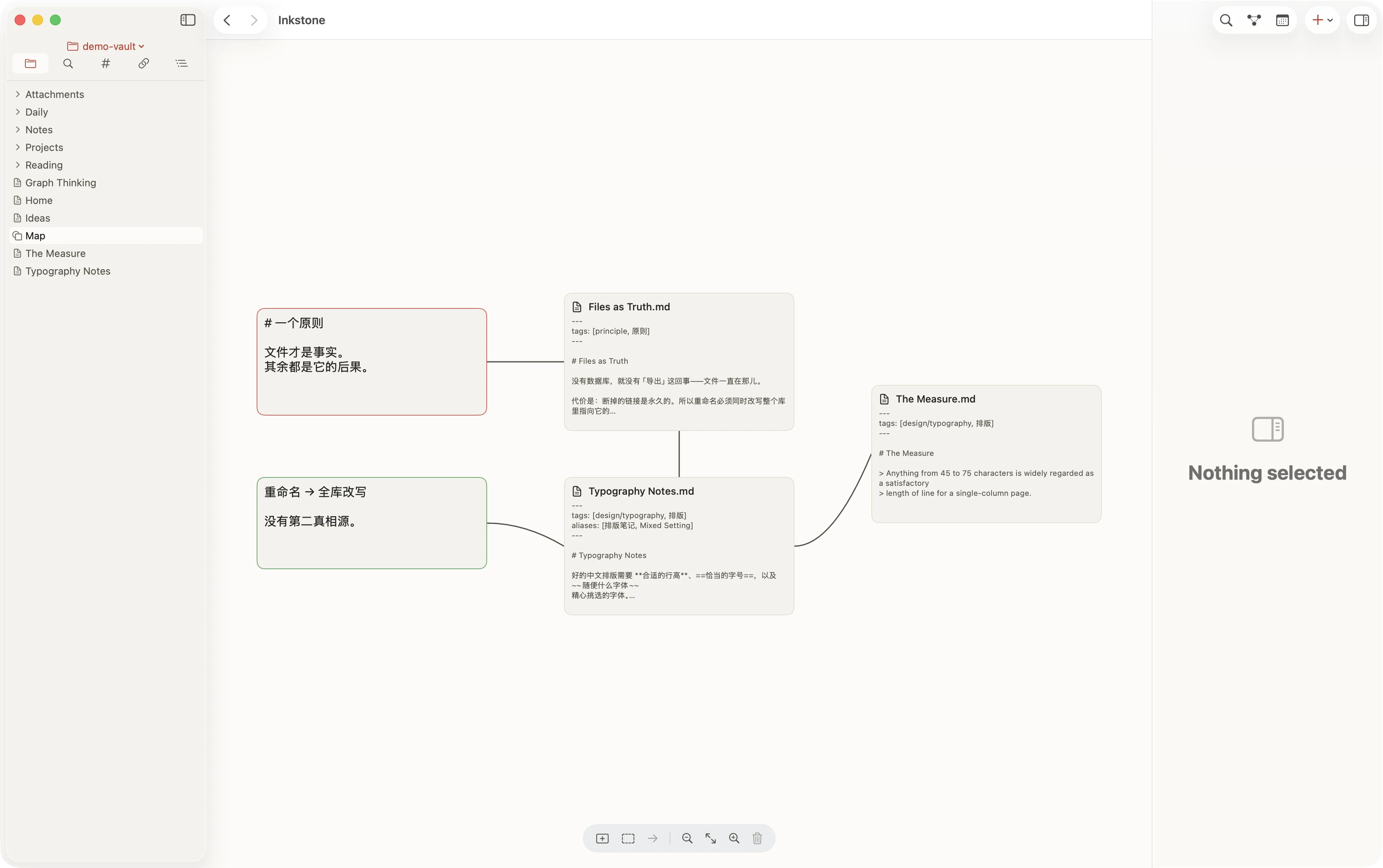
Cards, files and links on an infinite sheet, saved as JSON Canvas 1.0 — the same file the format's other implementations read and write. Your canvases are as portable as your notes.

A canvas with note cards and connections laid out spatially on an infinite sheet.

Finding things

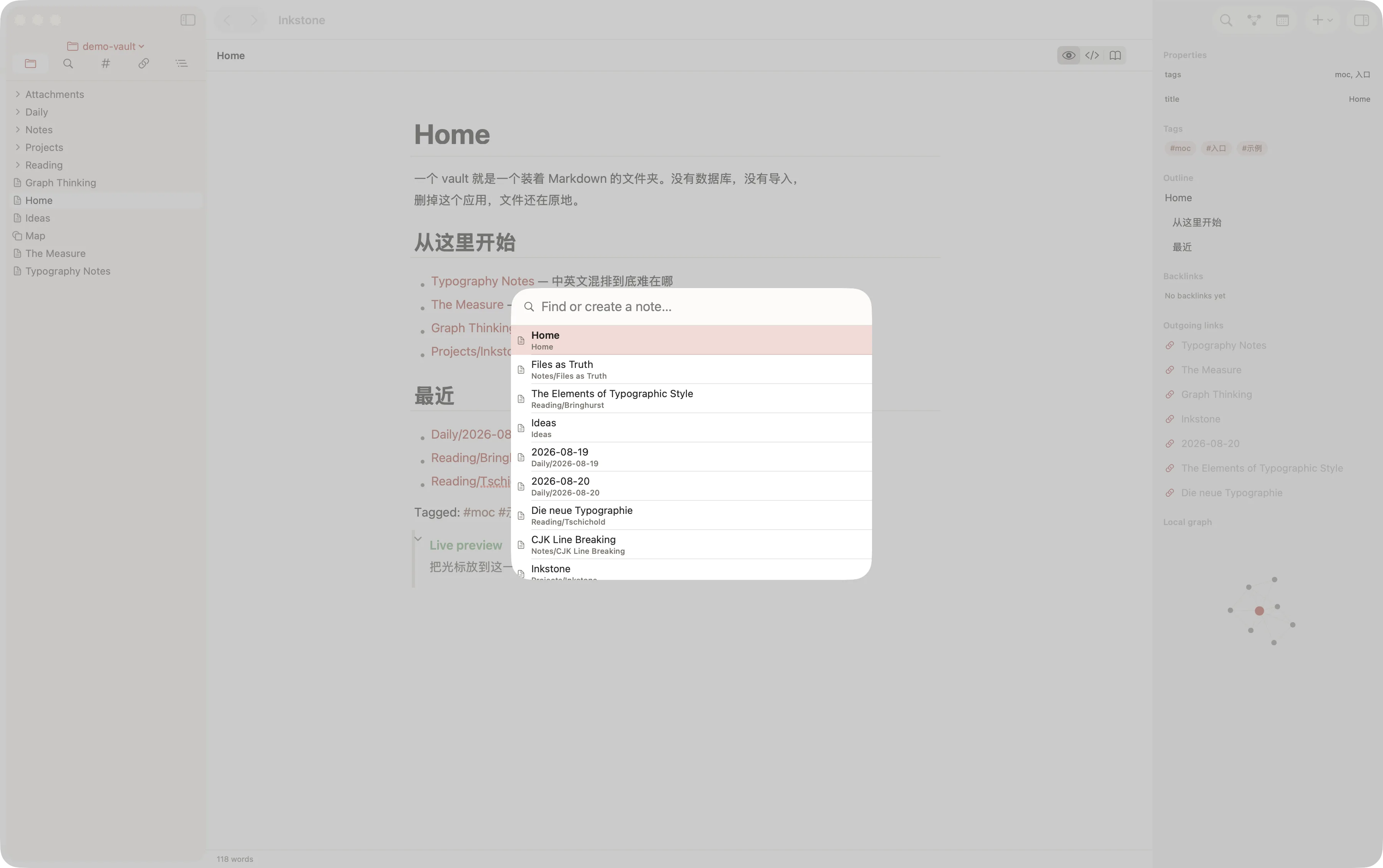
Fuzzy switcher, and search that takes operators

One keystroke opens a fuzzy switcher over every note. Full-text search understands tag: and path:, and tags work inline or in frontmatter, nested, in any script — #项目/进行中 indexes exactly like #project/active.

The quick switcher open over a note, filtering the vault as characters are typed.

Two machines

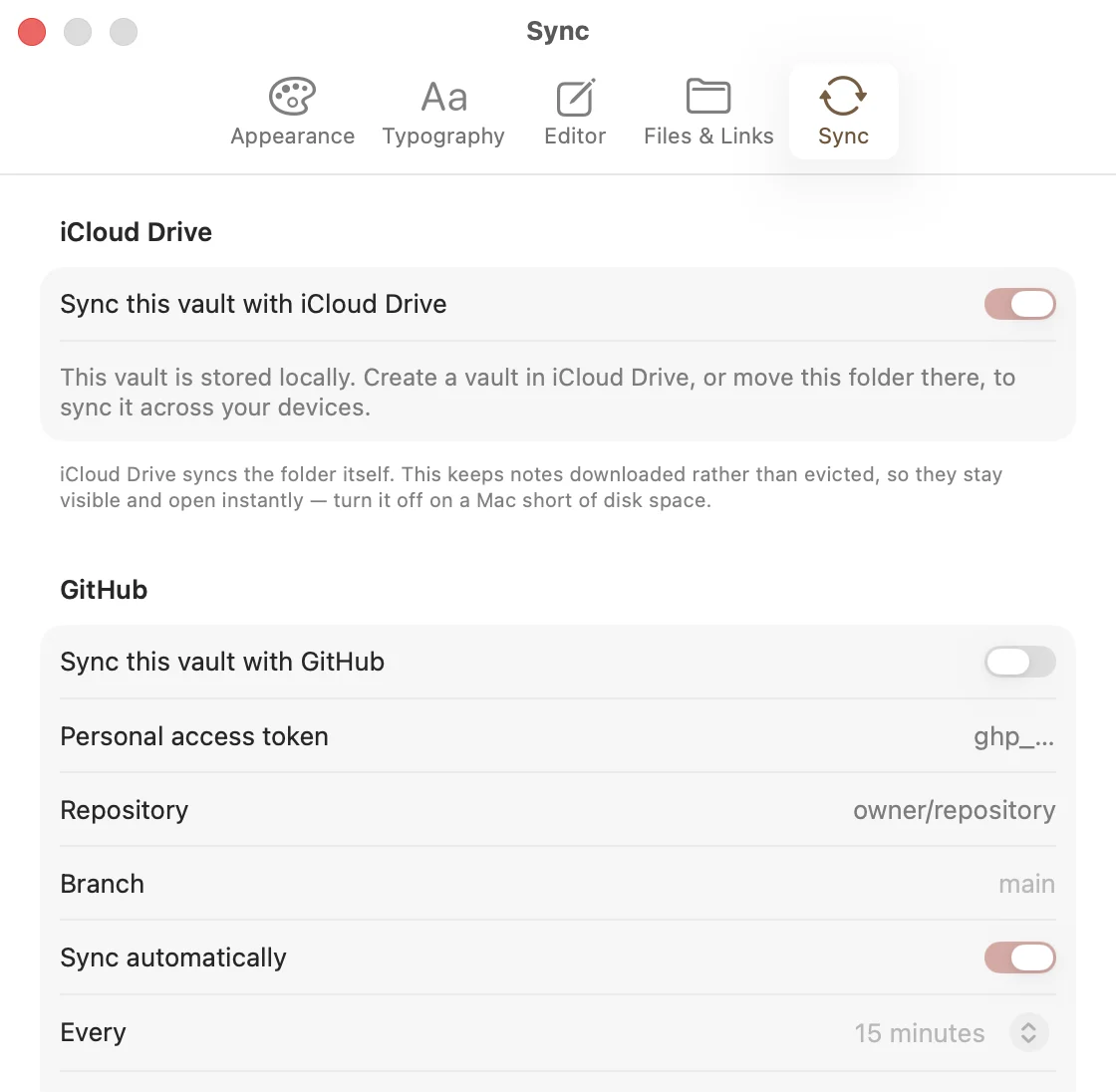
iCloud or GitHub, and you choose what travels

Sync through iCloud, or push the vault to a GitHub repository with conflicts settled once rather than left as two copies. Per-type filters decide whether attachments and media go with it, and the vault's own .gitignore is respected.

The GitHub sync settings: repository and branch pickers, and per-file-type switches deciding what is synchronised.

Setting Chinese and English on one line

The hard case is a Latin word inside a Han sentence. Nearly every app gets it wrong, in a way that is easy to see once and impossible to unsee after.

Specimen · Source Serif 4 with Source Han Serif

中英文混排 and the quarter-em gap

Chinese sets solid. There are no word spaces, so a line's evenness is what the eye reads. Drop typography into that line and the two scripts collide.

正文里出现Latin单词时,汉字与拉丁字母之间应当有一段约四分之一字宽的间隙——W3C的中文排版需求称之为文字间隙。这一段文字本身就在演示它:每一处汉字与Latin的交界都由构建时插入的空元素撑开,在支持text-autospace的浏览器上则交还给浏览器处理,两者永远只生效一个。全角标点(,。;:)自带二分空,因此一律不加。

Typography exists to honour content. It is a servant, and its manners should be invisible.

Robert Bringhurst, The Elements of Typographic Style
The measure
Body text is held to roughly 66 characters a line, the width Bringhurst gives as the single-column ideal. Past about 75 the eye loses the return.
One superfamily
Latin is Source Serif 4; Han is Source Han Serif, whose Latin companion is Source Serif. The mixed line is one designer's serif, not two fighting.
Colour is meaning
A single cinnabar red — the ink of a carved seal pressed onto paper — marks links, tags and the current action. Nothing else is coloured.
Motion is punctuation
Elements rise eight pixels as they arrive and nothing else moves. Turn on Reduce Motion and the page is served without any of it.

Specifications

The parts worth knowing before you download anything.

PlatformsmacOS 26 and iOS 26, one SwiftUI codebase, Apple silicon
StoragePlain Markdown files in a folder you pick. No database, no import
CompatibilityObsidian vaults open unchanged, both directions. Canvas is JSON Canvas 1.0
MarkdownGitHub Flavored Markdown, plus wikilinks, embeds, block references, callouts, footnotes, maths and Mermaid
SynciCloud or a GitHub repository, with per-file-type filters
Interface languagesEnglish, 简体中文, 繁體中文
SourcePublic on GitHub. A licence has not been chosen yet.
PrivacyNo account, no telemetry, no network call you did not ask for

It is free, it keeps nothing from you, and the files it writes are the files you already had.